The first time you sign in, Squabble walks you through three stops before dropping you into the app: find your Guild, add a book, and (optionally) connect a self-hosted server. This page covers what to expect at each one — you can also skip straight to the quick start if you'd rather move fast.
Welcome — find your fellowship
After you create your account, you land on a welcome screen with two paths and a skip link.
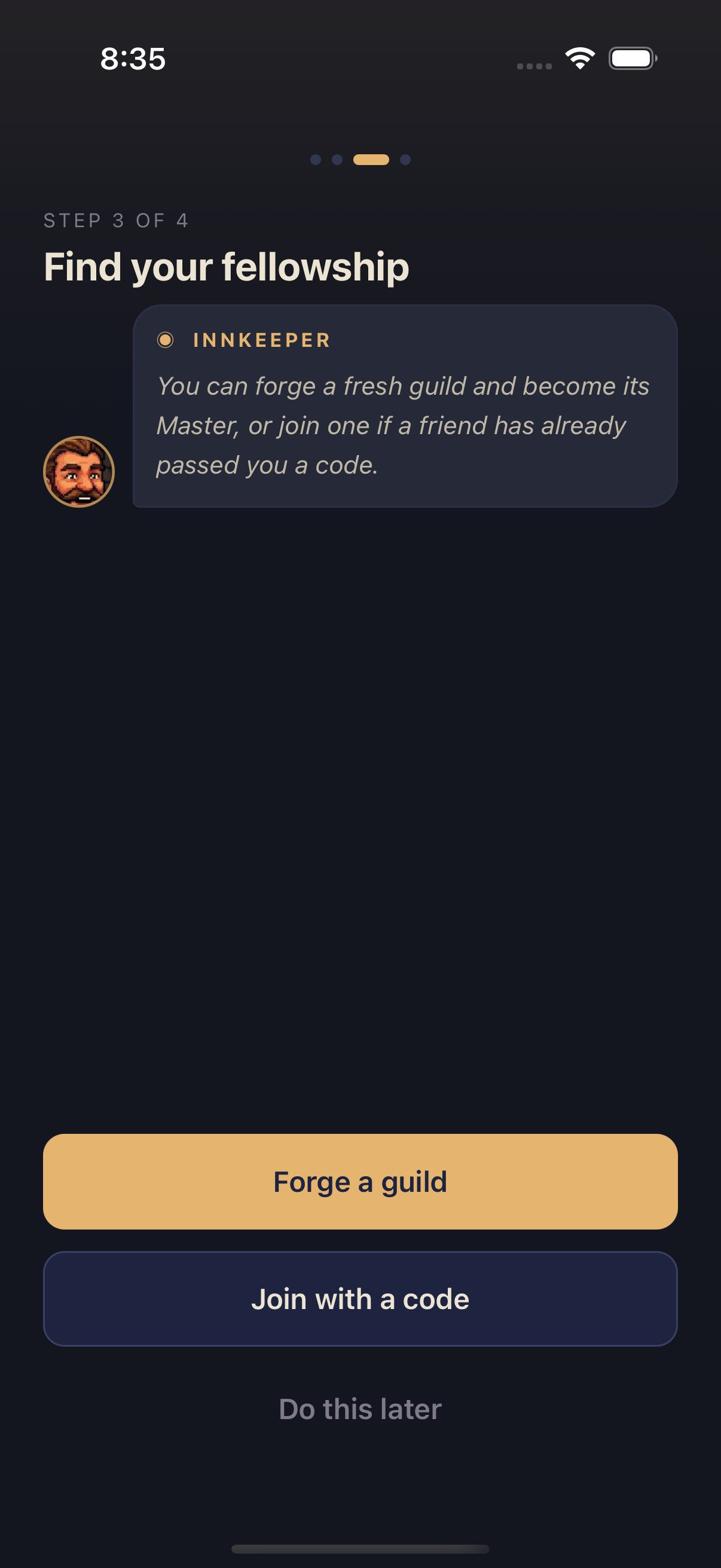
- Forge a guild — start a brand-new Guild and become its founder.
- Join with a code — enter a 6-character invite code a friend already sent you.
- Do this later — skip both for now and go straight into the app. You can join or create a Guild anytime from the Guild tab.
Joining a Guild with a code
Tap Join with a code
This opens a full-screen entry form for your invite code.
Enter your 6-character invite code
Type it exactly as your friend sent it — Squabble capitalizes it automatically as you type. Inside the app this field is labeled the Guild Rune, but it's the same invite code described on the Quest Board page.
Tap Join
You're in. If the guild already has a book underway, Squabble takes you on to the add-a-book step so you can grab whatever your new guildmates are reading; otherwise you land straight in the app. Check the Quests tab afterward to see the guild's Quest Board.
Creating a Guild
Tap Forge a guild
Squabble opens a form for your new Guild's name.
Name your Guild
Type anything from a series title to an inside joke — up to 30 characters.
Tap Forge Guild
Squabble creates the Guild and immediately generates your invite code.
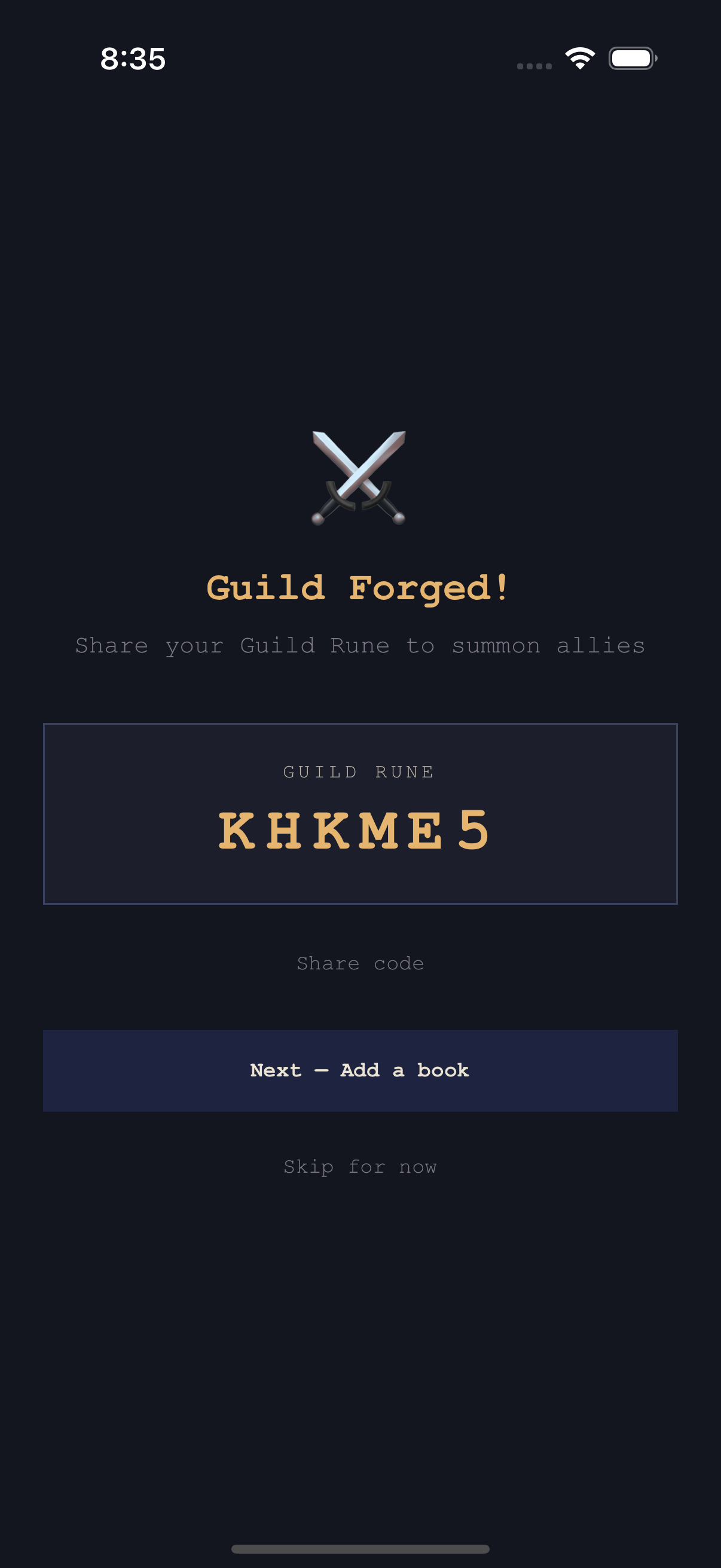
Tap Share code to send it through any app on your phone, or just read it off and tell someone. From here, tap Next — Add a book to continue the tour, or Skip for now to head into the app — you can invite Adventurers and pin a book from the Guild tab later.
Adding your first book
The last stop offers two ways to stock your shelves.
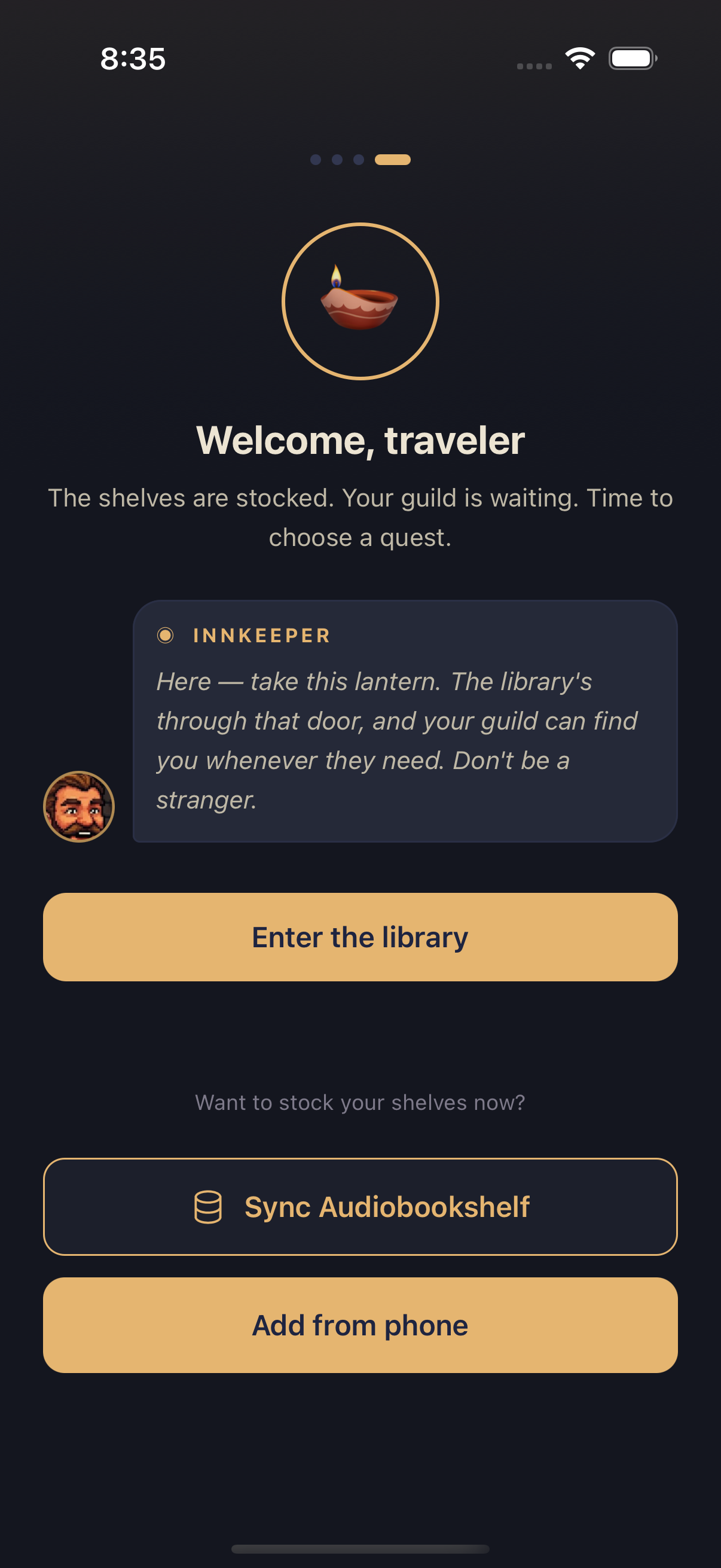
- Sync Audiobookshelf — connect a self-hosted Audiobookshelf server and pull your library from there. Mobile app
- Add from phone — import an audiobook file straight from your device. See Importing Books for supported formats.
Tap Enter the library at any point to skip this step with nothing added yet — you can import a book anytime. When the tour ends, Squabble drops you on the Guild tab, your new home base.
Skipping ahead
Nothing in this tour is required in one sitting — the welcome screen's Do this later, the guild-created screen's Skip for now, and Enter the library each let you bail out early, and the join/create forms have a Back link to retrace a step. If you already belong to a Guild — for example, you signed up on a second device — Squabble skips the tour automatically and takes you straight into the app.