You need a Squabble account to save your library, join a Guild, and keep your progress in sync. This page covers every way to sign up, sign back in, and recover a forgotten password.
Signing up with email
From the Inn's front door, tap First time here to open the sign-up form.
Enter your email
Type the email address you want your account tied to.
Create a password
The form labels this field Passphrase — it's just your password, at least 6 characters. Enter it again in Confirm Passphrase.
Tap Claim my seat
This creates your account and drops you into the onboarding tour.
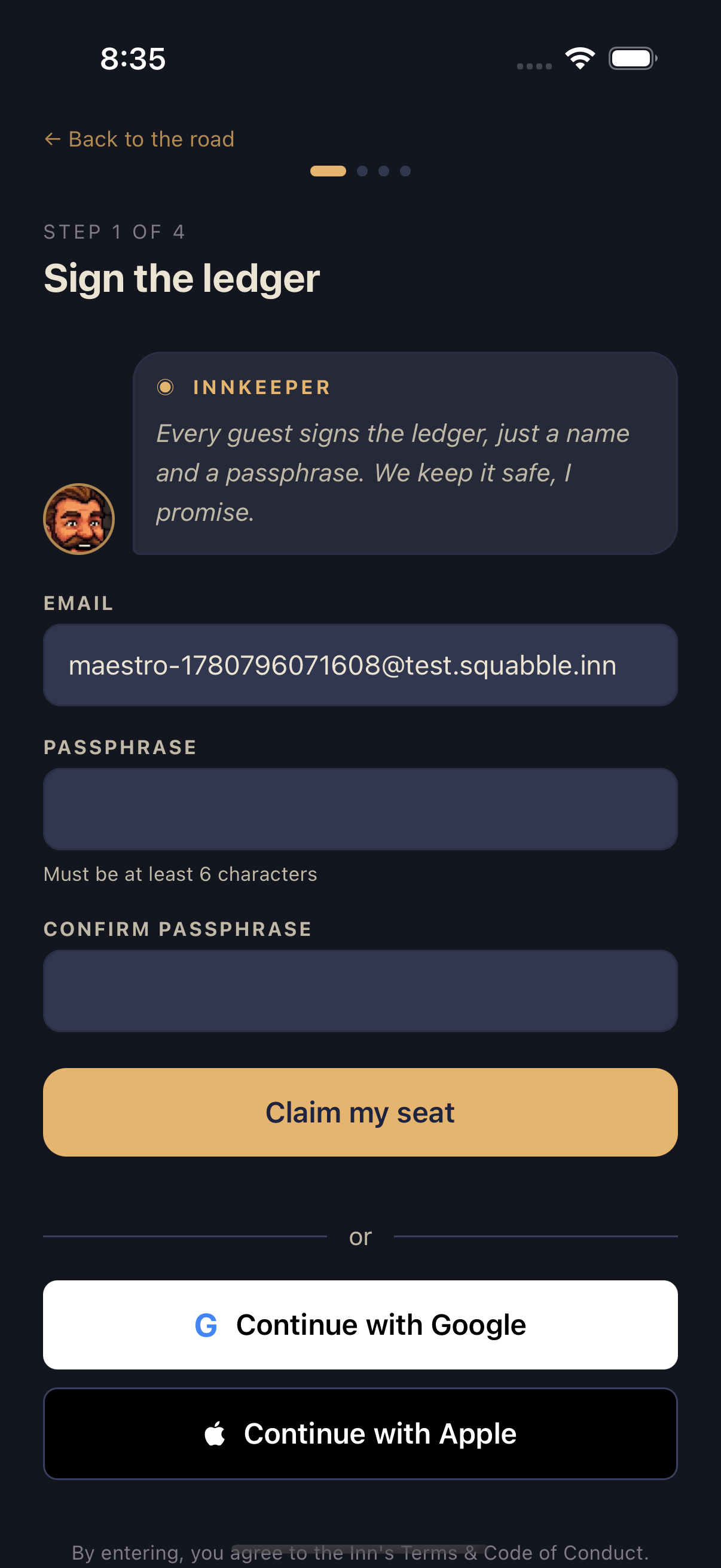
By signing up, you agree to Squabble's Terms & Code of Conduct.
Signing up or signing in with Google or Apple
Tap Continue with Google on either the sign-up or sign-in screen to use your Google account instead of a password — no Passphrase to create or remember.
On iPhone and iPad, Continue with Apple is also available beneath the Google button. Apple sign-in only works on Apple devices, so Android phones and tablets won't show it.
Logging back in
From the landing screen, tap I've been here before instead of First time here. Enter your email and Passphrase and tap Come inside, or use the same Google or Apple button you signed up with.
Forgot your password
Tap Forgot your passphrase?
This link sits just below the password field on the sign-in screen.
Confirm your email
Your email is pre-filled if you already typed it. Tap Send reset link.
Check your inbox
A "Raven dispatched" screen confirms the email is on its way. Check your spam folder if it doesn't arrive within a few minutes.
The password reset link currently lives on the mobile sign-in screen only. If you created your account on the web app and need to reset your password, use the mobile app's Forgot your passphrase? link — it works against the same account either way.